
Introduction to Computer Science for Multidisciplinary Studies I
This course provides an introduction to problem solving, analysis and design of
small-scale computational systems. Solutions will be implemented using a
procedural programming language. This course is targeted at students wishing to
combine studies in computer science with studies in other disciplines.
 |
Announcements |
- Classes begin on Wednesday, September 2, 2026.
- Tutorials begin on Wednesday, September 16, 2026 (or Thursday, September 17, 2026, if you have Tuesday / Thursday tutorials).
- No classes or tutorials on:
- Monday, September 7, 2026, due to Labour Day;
- Wednesday, September 30, 2026, due to Truth and Reconciliation Day;
- Monday, October 12, 2026, due to Thanksgiving;
- Monday, November 9, 2026, to Friday November 13, 2026, due to the fall term break.
|
Important Dates |
- Midterm Exam #1: Friday, October 16, 2026 during class time.
- L01 (MWF 11:00am - 11:50am):
- If your UCID number ends in 2, 6, or 9, you are writing in Administration Building 142.
- If your UCID number ends in 0, 1, 3, 4, 5, 7, or 8, you are writing in EDC 179 (our usual classroom).
- L02 (MWF 1:00pm - 1:50pm):
- If your UCID number ends in 1, 3, or 5, you are writing in KNB 126.
- If your UCID number ends in 0, 2, 4, 6, 7, 8, or 9, you are writing in KNB 132 (our usual classroom).
- L03 (MWF 3:00pm - 3:50pm):
- If your UCID number ends in 1, 3, 5, or 7, you are writing in Engineering A 103.
- If your UCID number ends in 0, 2, 4, 6, 8, or 9, you are writing in CHC 105 (our usual classroom).
- L01 (MWF 11:00am - 11:50am):
- Midterm Exam #2: Monday, November 16, 2026 during class time.
- The due dates for the assignments and exercises can be found in the Assignments and Exercises sections of this page.
|
Support Materials |
- Course Outline
- Topic 1: Introduction 1up 2up 4up
- Topic 2: Introduction to Programming
1up
2up
4up
- pressure.py (initial incomplete version)
- pressure_complete.py (complete version) and a video of a slightly different version of it being created.
- loan.py and a video of it being created. Note that the video uses a couple of older mechanisms for formatting values, not f-strings, which we will use in this iteration of the course.
- Topic 3: Information and Data 1up 2up 4up
- Topic 4: Decisions
1up
2up
4up
- Answers to the truth tables on slides 13 to 20 in case you didn't get them copied down when Yomna went through them.
- gold.py (Boolean operator version) gold_else.py (nested if-statement version),
gold_elif.py (if-elif-else version),
and a video of multiple versions being created. - grade_points.py and a video of it being created.
- Loop Exercises -- Looking for some extra practice? These exercises can be completed using either for loops or while loops (or better yet, complete all the exercises twice -- once using while loops, and again using for loops).
- average.py and a video of a slightly different version being created.
- factorial.py
- CPSC 217 Winter 2026 Exam #1
- CPSC 217 Winter 2026 Exam #2
- CPSC 217 Spring 2025 Exam #1
- CPSC 217 Spring 2025 Exam #2
- CPSC 217 Winter 2025 Exam #1
- CPSC 217 Winter 2025 Exam #2
- CPSC 217 Spring 2024 Exam
- CPSC 217 Fall 2019 Exam
- CPSC 217 Summer 2019 Exam
- CPSC 217 Fall 2018 Exam
- CPSC 217 Fall 2017 Exam
- CPSC 217 Winter 2017 Exam
- CPSC 217 Fall 2015 Exam
- CPSC 217 Fall 2014 Exam
- CPSC 217 Winter 2014 Exam
- CPSC 217 Fall 2012 Exam
- CPSC 217 Fall 2011 Exam
- Exams from 2010 and earlier used Python 2 instead of Python 3. As a result, some of the code on the older exams will not run successfully in the current version of Python.
- CPSC 217 Fall 2010 Exam
- CPSC 217 Summer 2010 Exam
- CPSC 217 Fall 2009 Exam
- CPSC 217 Spring 2009 Exam
- CPSC 217 Fall 2008 Exam
- Answers to the previous midterm exams are available by using the Exam Answer Viewer. Note that it is always possible that an incorrect answer has been entered into the database. If you spot something that appears to be wrong, please let the instructor know so that the problem can be corrected.
- Final Exam Practice Questions
- These are practice questions rather than sample questions. The questions on the final exam will cover similar content to the practice questions but will be multiple choice questions and Parsons Problems rather than the open ended questions that are available for practice.
- Answers to the practice questions are available by using the Exam Answer Viewer. Note that it is always possible that an incorrect answer has been entered into the database. If you spot something that appears to be wrong, please let the instructor know so that the problem can be corrected.
|
Tools |
- Ben's Grade Calculator: grade_calculator.py
- Python
- We will use Python 3 in this course. At the time this message was written, the most up to date stable release is version 3.14.7, but other versions of Python 3 should also work without any problems. Do not use version 2.x.y.
- Want to use Pycharm? You may find these slides helpful: PycharmSetup.pdf
-
The SimpleGraphics module makes it easy to generate graphics output with
Python.
- SimpleGraphics.py -- This is the module itself. Save it in the same folder as your exercise or assignment. You can look at the code in the file if you want to, but don't change it!
- tutorial.pdf -- A tutorial that describes how to draw with the SimpleGraphics module.
- shapes_test.py -- A program that demonstrates the shapes available with the SimpleGraphics module.
|
Assignments |
- Guidelines for Avoiding Plagiarism
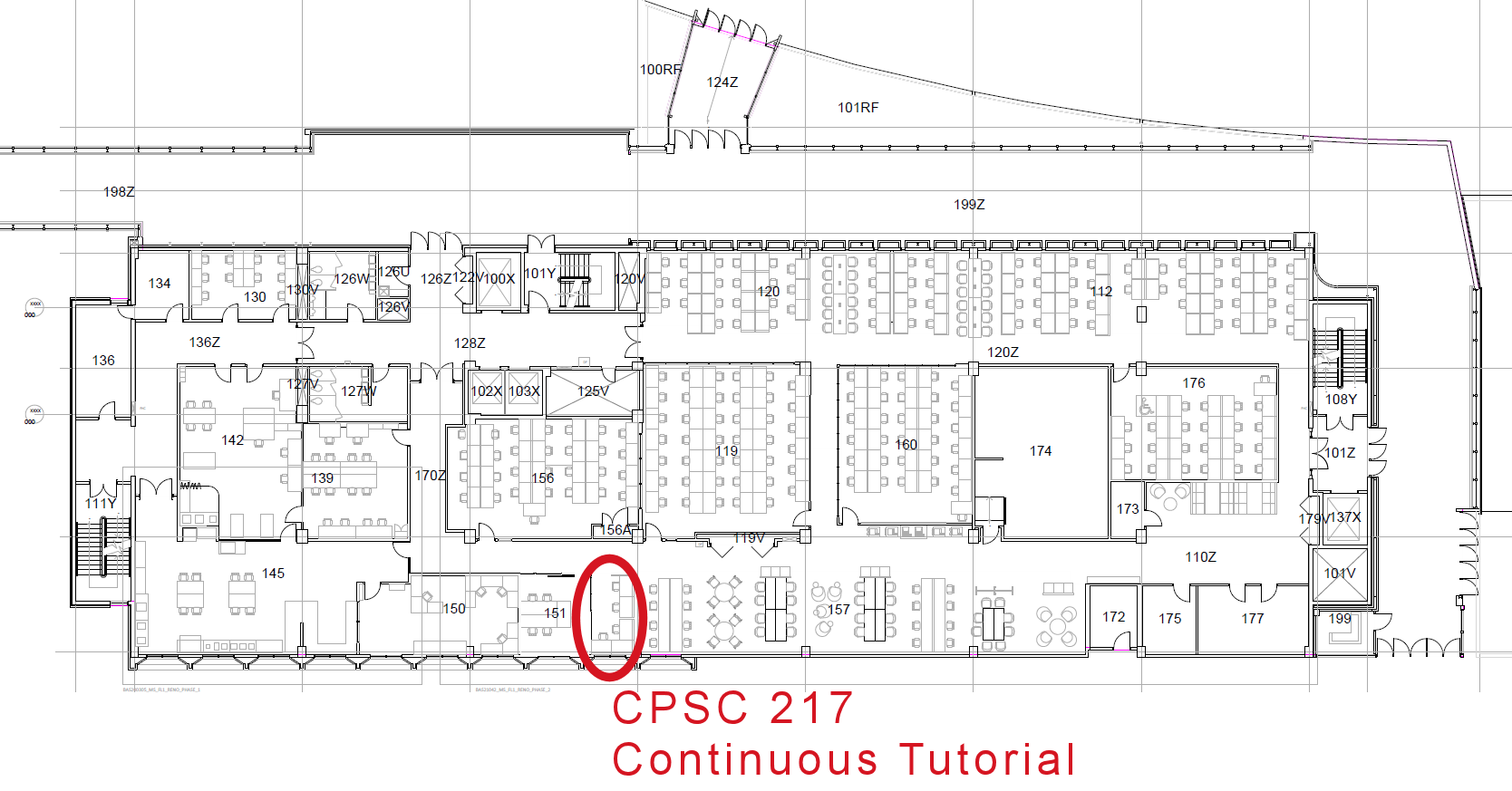
- Teaching assistants are available to provide advice and guidance for
the assignments, or any other course related questions. You can
find them at the "Continuous Tutorial" desk in the main
computer lab outside of MS156/MS119. (Having a hard time finding
the TAs? This map might help.) TA
availability varies from week to week, with the greatest amount
of help available in the days leading up to the assignment
deadlines. Upcoming opportunities for assistance are shown
below.
Mon Oct. 12
(None)Tue Oct. 13
10:00-11:00 Yomna
11:00-12:00 Lily
12:00-13:00 Azka
13:00-14:00 Ethan
14:00-15:00 Falah
15:00-16:00 Mahsa
16:00-17:00 Mahsa
Wed Oct. 14
09:00-10:00 Falah
10:00-11:00 Ash
11:00-12:00 Lily
12:00-13:00 Tyler
13:00-14:00 Lily
15:00-16:00 Javad
17:00-18:00 Falah
Thu Oct. 15
(None)Fri Oct. 16
(None)Mon Oct. 19
09:00-10:00 Falah & Al Rafi
10:00-11:00 Falah & Ash
11:00-12:00 Falah & Mahsa
12:00-13:00 Lily & Ash
13:00-14:00 Lily & Azka
14:00-15:00 Lily & Lily
15:00-16:00 Javad & Mahsa
16:00-17:00 Al Rafi & Ash
17:00-18:00 Javad & Mahsa
Tue Oct. 20
09:00-10:00 Jiayi & Lily
10:00-11:00 Yomna & Falah
11:00-12:00 Yomna & Mahsa
12:00-13:00 Yomna & Lily
13:00-14:00 Ethan & Falah
14:00-15:00 Falah & Ethan
15:00-16:00 Falah & Mahsa
16:00-17:00 Al Rafi & Ethan
17:00-18:00 Ethan
Wed Oct. 21
09:00-10:00 Al Rafi & Falah
10:00-11:00 Falah & Azka
11:00-12:00 Lily & Azka
12:00-13:00 Azka & Lily
13:00-14:00 Azka & Falah
14:00-15:00 Falah & Azka
15:00-16:00 Falah & Azka
16:00-17:00 Mahsa & Ash
17:00-18:00 Al Rafi & Falah
Thu Oct. 22
09:00-10:00 Jiayi & Lily
10:00-11:00 Jiayi & Lily
11:00-12:00 Lily & Mahsa
12:00-13:00 Lily & Azka
13:00-14:00 Ethan & Ash
14:00-15:00 Azka & Ethan
15:00-16:00 Ash & Mahsa
16:00-17:00 Al Rafi & Ethan
17:00-18:00 Ash & Ethan
Fri Oct. 23
11:00-12:00 Mahsa & Lily
12:00-13:00 Lily & Ethan
13:00-14:00 Lily & Ethan
14:00-15:00 Mahsa & Ash
15:00-16:00 Azka & Lily
16:00-17:00 Al Rafi & Ash
17:00-18:00 Al Rafi & Ash
- Assignment 1
- Due Date: Friday, October 9, 2026
- Part 1: Due at 11:00pm, submitted through D2L
- Part 2: Due at 11:00pm, submitted through D2L
- Assignment Description
- Minor correction: The original assignment handout incorrectly indicated that question 7 was worth 8 marks. In reality, question 7 is worth 14 marks (2 marks for each part). This update causes part 2 to (correctly) sum to 50 marks.
- Q: Do I have to show my work in Part 2?
A: No, you do not have to show your work. However, there will be similar questions on the midterm exam, and calculators are not permitted for the exam.
- Due Date: Friday, October 9, 2026
- Assignment 2
- Due Date: Friday, October 23, 2026, at 11:00pm
- Assignment Description
- Smiley_248.png -- Right click (control-click if you are on a Mac) and save the file in the same folder as your .py file
- The hidden image illusion is quite sensitive to the properties of your display. If the image isn't visible when you are moving the window with Smiley_248.png, try using Smiley_245.png or Smiley_240.png instead. (It doesn't matter which image your program loads when you submit it).
- Assignment 3
- Due Date: Friday, November 20, 2026, at 11:00pm
- Assignment Description
- mine_sweeper.py
- Assignment 4
- Due Date: Friday, December 4, 2026, at 11:00pm
- Assignment Description
- Starter code: music.py
- Treble clef image: TrebleClef_71.gif (Right click or control-click the link and choose 'Save link as...' or 'Save target as...' to save the image in the same folder as your .py file).
- Sound files (thanks to the University of Iowa Electronic Music Studios):
- Right click or control-click the link for each file and choose 'Save link as...' or 'Save target as...' to save the sound file in the same folder as your .py file.
- Piano.mf.C4.wav
- Piano.mf.D4.wav
- Piano.mf.E4.wav
- Piano.mf.F4.wav
- Piano.mf.G4.wav
- Piano.mf.A4.wav
- Piano.mf.B4.wav
- Piano.mf.C5.wav
- Piano.mf.D5.wav
- Piano.mf.E5.wav
- Piano.mf.F5.wav
- Piano.mf.G5.wav
- Piano.mf.A5.wav
- Piano.mf.B5.wav
- Tune files:
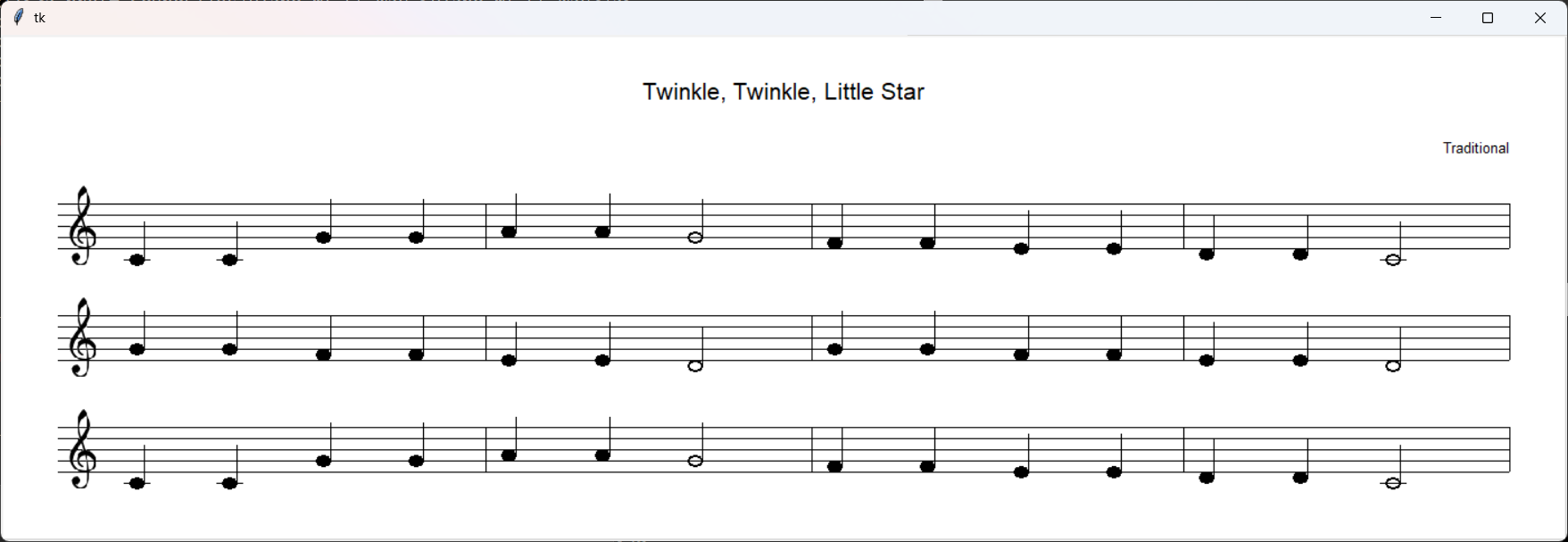
- twinkle.abc Expected text output Expected graphical output
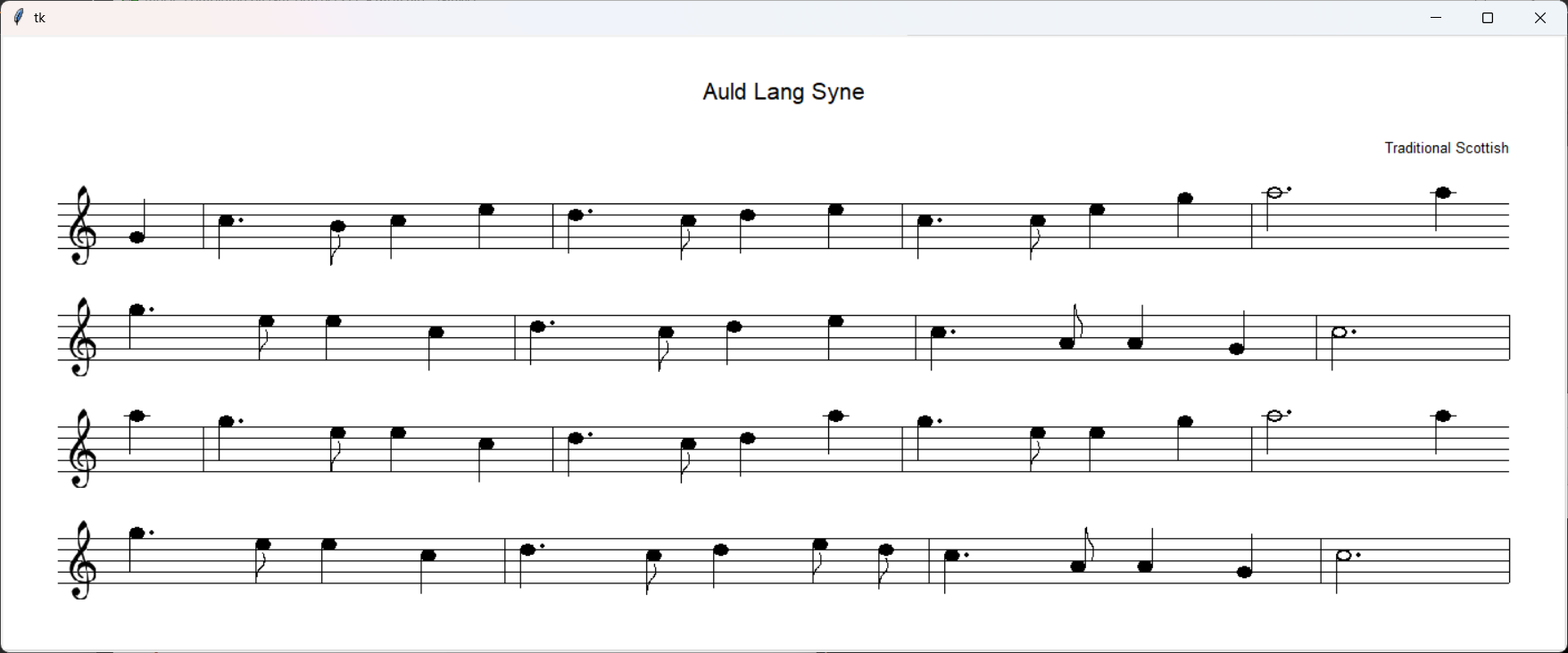
- auld_lang_syne.abc Expected text output Expected graphical output
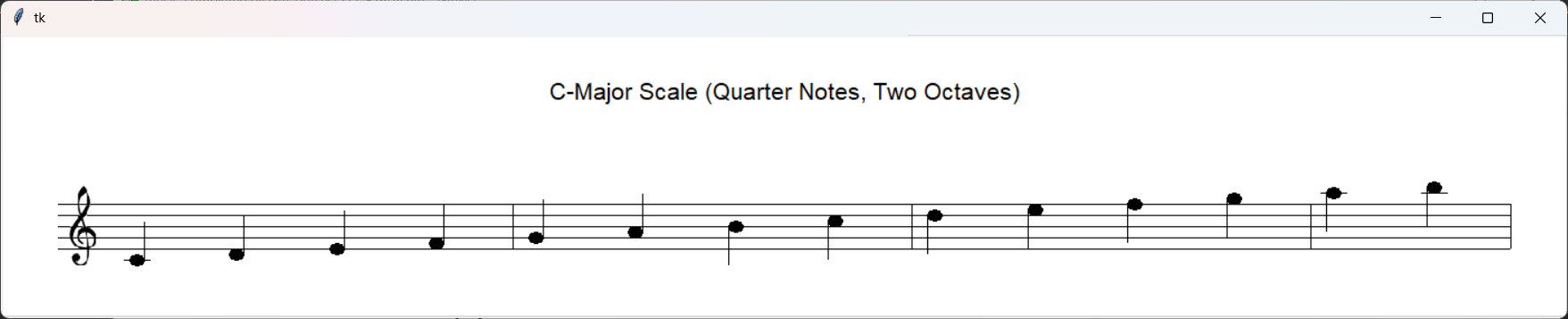
- scale.abc Expected text output Expected graphical output
- durations.abc Expected text output Expected graphical output
- spring.abc Expected text output Expected graphical output
- ode_to_joy.abc Expected text output Expected graphical output
- jupiter.abc Expected text output Expected graphical output
- jingle_bells.abc Expected text output Expected graphical output
- twinkle_variations.abc Expected text output Expected graphical output
- Tune files that include lyrics (for the bonus part):




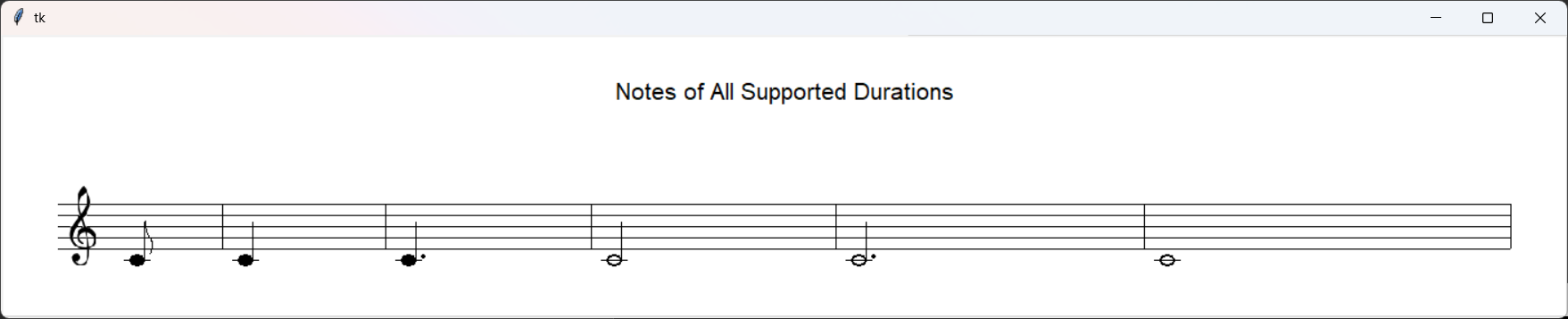
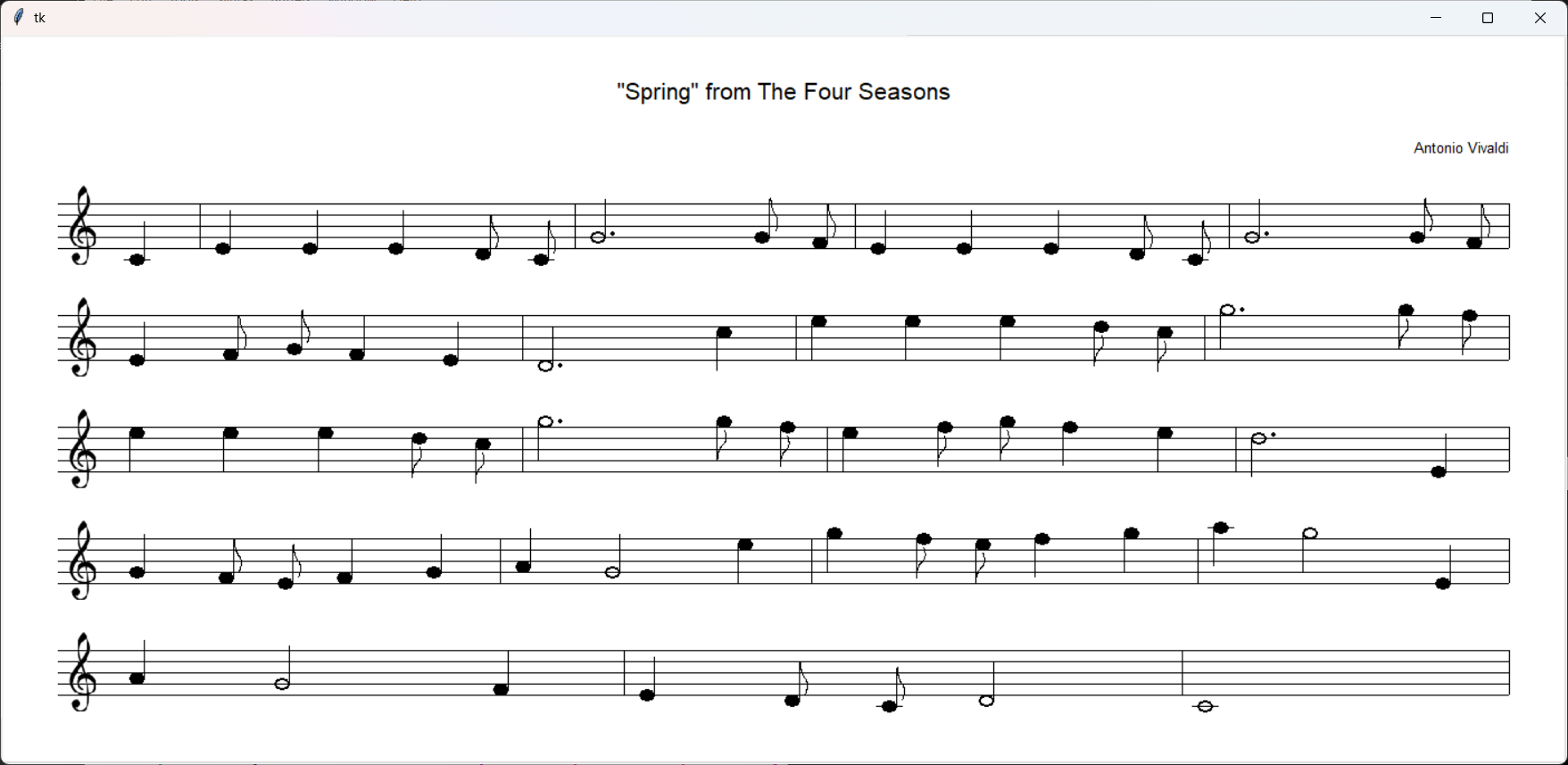
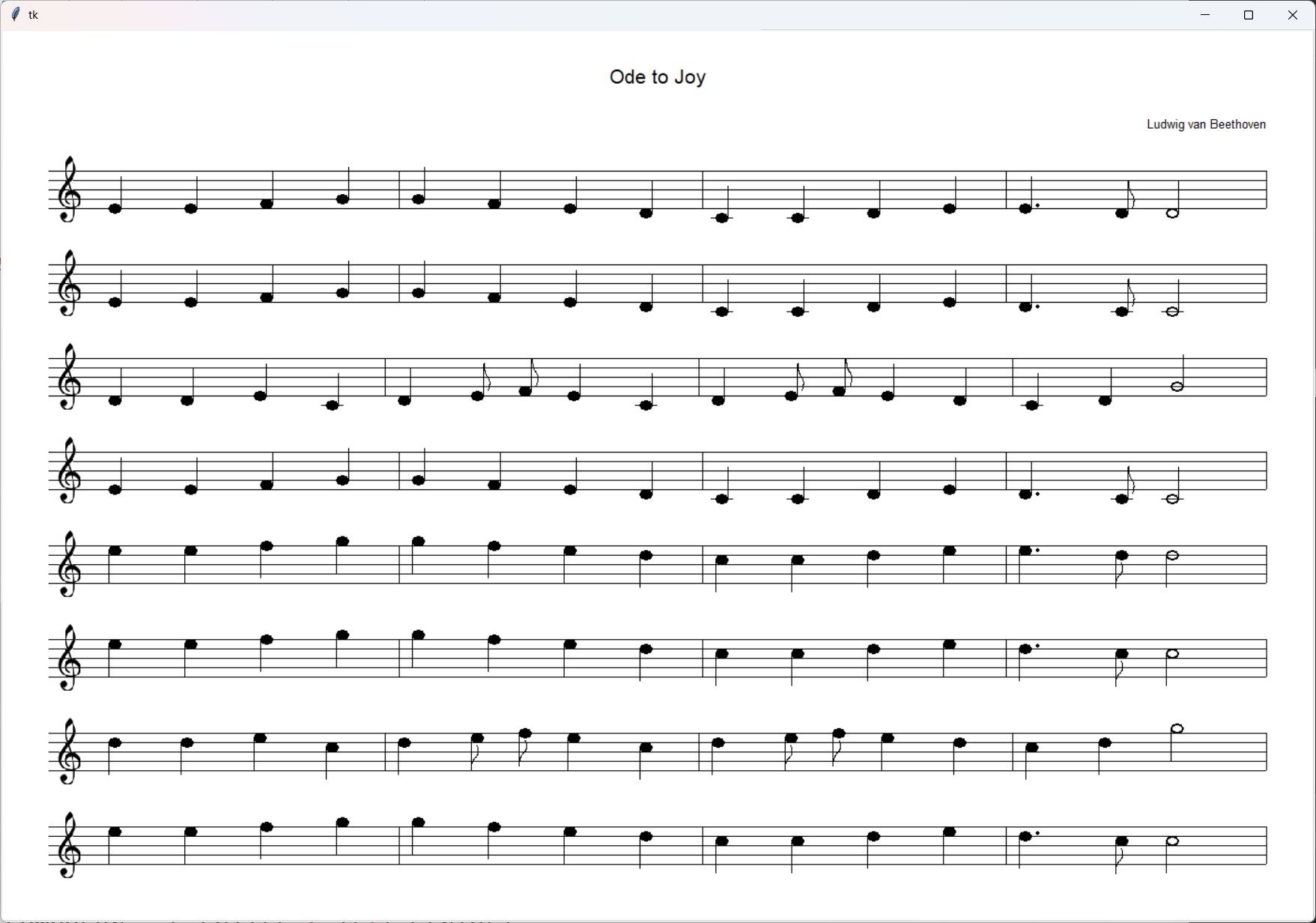
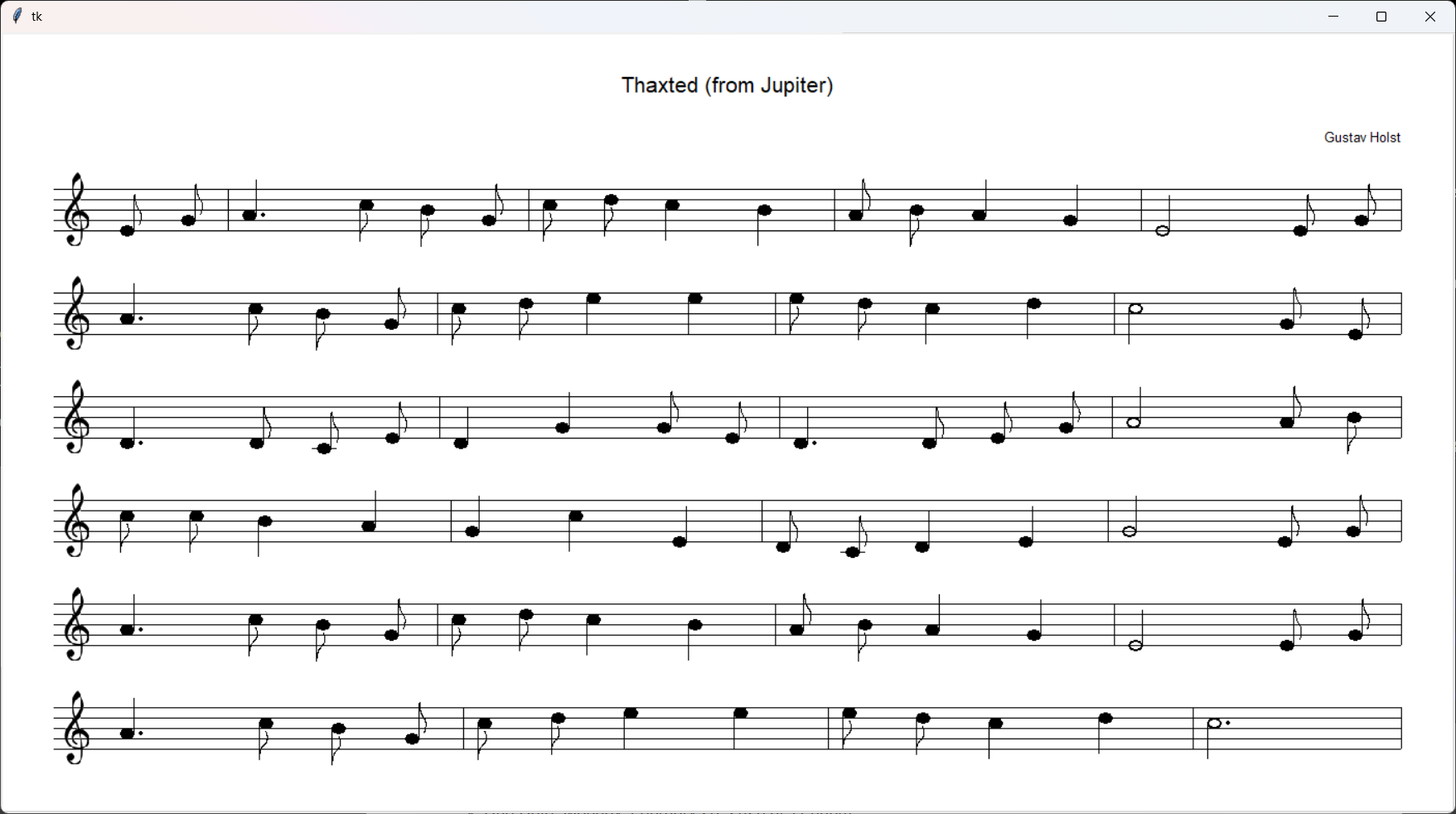
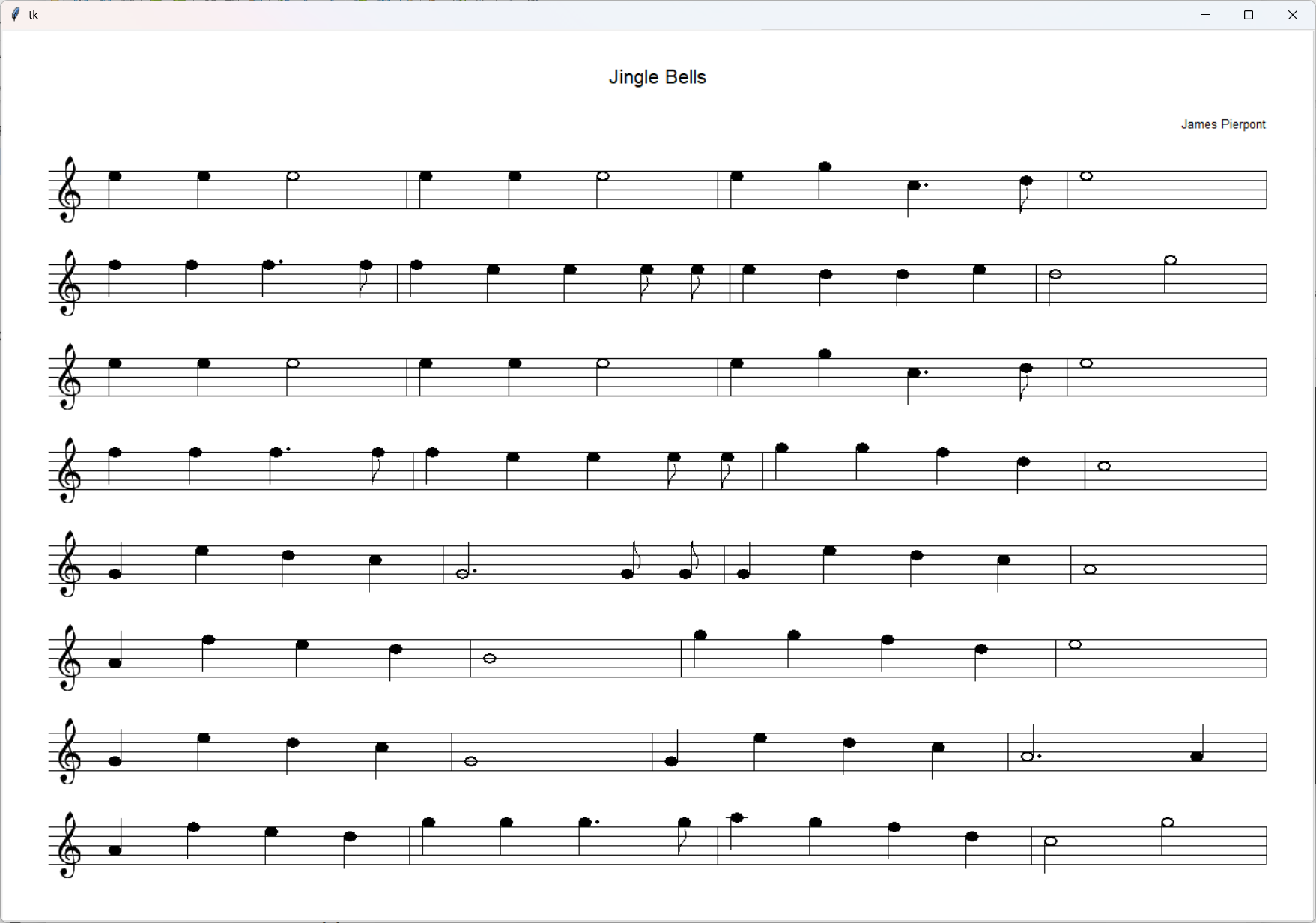
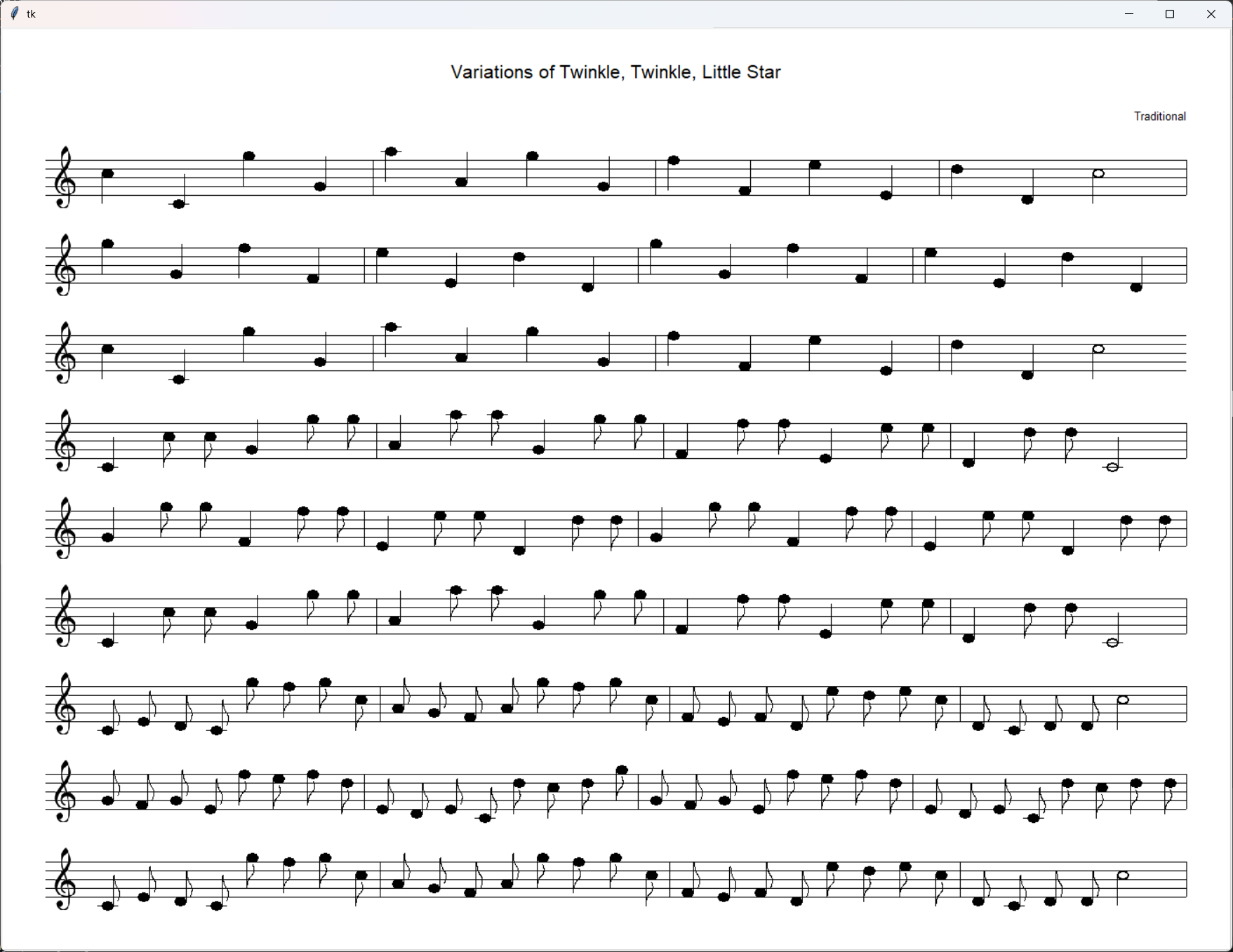
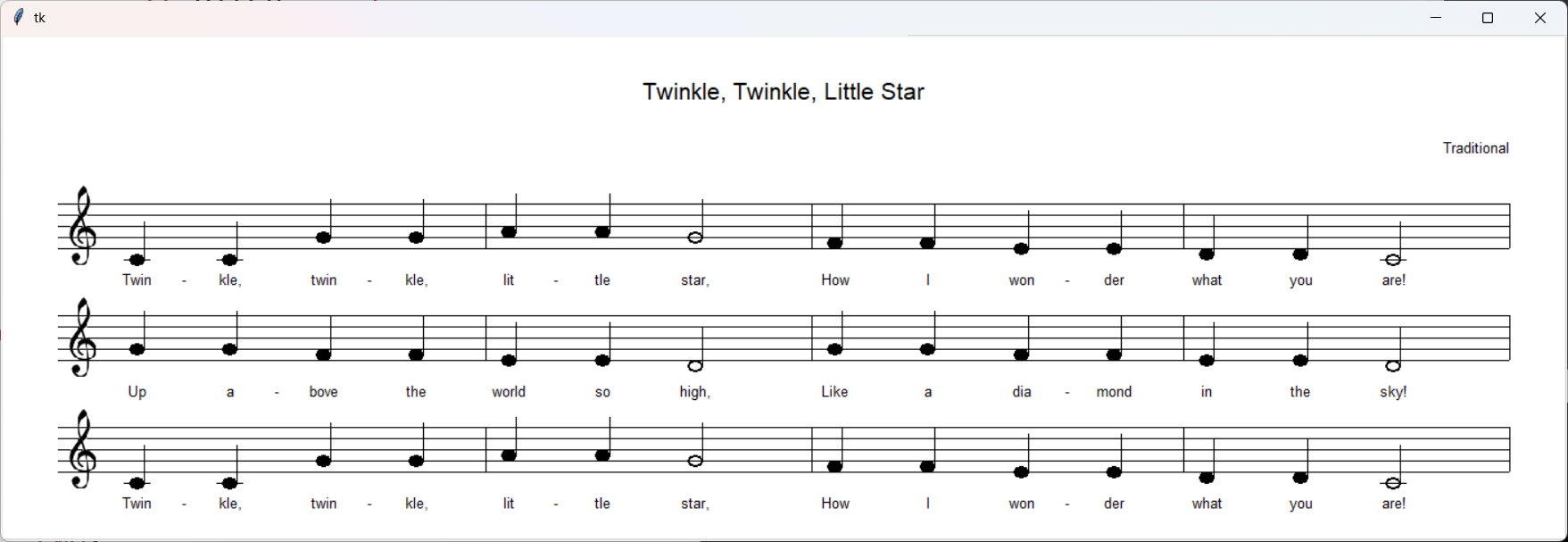


|
Exercises |
- Exercise 1
- Due Date: Tuesday, September 22, 2026, at 11:00pm
- Exercise Description
- Exercise 2
- Due Date: Tuesday, September 29, 2026, at 11:00pm
- Exercise Description
- Exercise 3
- Due Date:
Tuesday, October 13, 2026, at 11:00pmWednesday, October 14, 2026, at 11:00pm - Exercise Description
- Due Date:
- Exercise 4
- Due Date: Tuesday, November 3, 2026, at 11:00pm
- Exercise Description
- Ex4.py
- Exercise 5
- Due Date: Tuesday, November 17, 2026, at 11:00pm
- Exercise Description
- Exercise 6
- Due Date: Tuesday, November 24, 2026, at 11:00pm
- Exercise Description
- Exercise 7
- Due Date: Tuesday, December 1, 2026, at 11:00pm
- Exercise Description
- test1.txt
- test2.txt
- test3.txt